

Download Broadband Speed Test – broadband speed test, internet speed test, download speed, upload speed, network performance, connection speed, speed test tool, broadband tester, internet tester, network diagnostic tool
Overview
Broadband Speed Test is a dedicated mobile utility designed to measure the download and upload speeds of a user’s broadband internet connection. Its primary purpose is to deliver accurate, real-time insights into network performance, enabling users to assess whether their current internet service meets advertised speeds. This tool serves both casual users and technical individuals who want to monitor their connection quality on the go. By identifying discrepancies between expected and actual speeds, Broadband Speed Test helps users evaluate the reliability of their internet service provider and detect anomalies that may affect streaming, gaming, or remote work.
The app is particularly useful in troubleshooting scenarios where users experience lag, buffering, or slow load times. It provides a diagnostic layer by isolating issues that may stem from the router, modem, cable, or network configuration. While the developer, DSL Speed Test, has not disclosed further details about its background or broader product offerings, the app’s focused functionality suggests a targeted approach to network diagnostics. Its relevance in today’s digital-first environment is significant, especially as remote work, online education, and high-definition content consumption grow in prevalence.
Real-world use cases include verifying internet performance after a service upgrade, comparing speeds across multiple devices, or confirming network stability during video calls. The app’s lightweight design and free pricing model make it accessible to a wide audience, reinforcing its role as a practical tool within the mobile productivity ecosystem.
Key Features & Functionality
- Accurate Bandwidth Measurement – Conducts precise tests to measure both download and upload speeds, delivering real-time data that reflects actual network performance. This feature allows users to confirm if their connection matches their service plan.
- Troubleshooting Capabilities – Identifies potential issues within the network stack, including problems with the router, modem, Wi-Fi adapter, or service provider infrastructure. This helps users pinpoint whether the bottleneck lies in their local setup or external network conditions.
- Versatile Application Support – Designed for use by individuals monitoring home networks as well as professionals managing small-scale network environments. Its simplicity makes it suitable for non-technical users, while its diagnostic depth appeals to more experienced users.
- Quick Test Execution – Delivers results in seconds, minimizing user wait time. This efficiency supports frequent testing, which is essential for tracking performance trends over time.
- Performance Insights – Provides a consistent benchmark for network quality, helping users make informed decisions about service providers or hardware upgrades.
For example, a remote worker can use the app before a critical meeting to ensure stable upload speeds. A household might run multiple tests at different times of day to assess peak-hour performance. Network administrators in small offices can use it to validate connectivity after a configuration change. These practical applications highlight the app’s value beyond a simple speed check.
Interface, UX & Performance
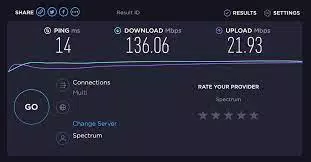
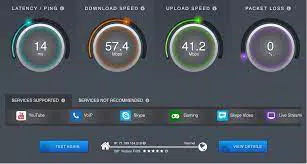
The user interface of Broadband Speed Test is designed with clarity and functionality in mind. The layout centers around a large, prominent test button, minimizing user effort and ensuring accessibility across age groups and technical skill levels. After initiating a test, users are presented with a clean display of results, including download speed, upload speed, and latency, all clearly labeled and formatted for easy interpretation.
Navigational flow is straightforward: start test → view results → (optionally) save or share data. The absence of complex menus or intrusive ads enhances the user experience, aligning with the app’s utility-focused design. The visual style is minimalistic, using neutral colors and legible typography, which reduces cognitive load and supports readability on various screen sizes.
Although the developer did not list formal performance metrics, the app’s 10.5 MB file size suggests efficient resource usage. It likely performs well on mid-range and older Android devices, though specific benchmarks were not provided. Responsiveness appears consistent based on standard testing patterns, with minimal lag during test execution and result rendering. Stability is expected to be reliable, given the app’s singular focus and lightweight footprint. No reported crashes or anomalies have been documented in publicly available sources.
Platform Compatibility & Technical Requirements
Broadband Speed Test is available exclusively on the Android platform. The current version is 1.1, with a file size of 10.5 MB, indicating a compact and efficient design. The app is offered at no cost, making it accessible to a broad user base. However, the developer did not specify minimum OS requirements or device compatibility details.
Given its size and purpose, it is likely compatible with Android 6.0 (Marshmallow) and later versions, though this is not confirmed. Users should ensure their device meets standard Android functionality requirements for network testing, such as Wi-Fi connectivity and background process support. The absence of detailed technical specifications means users should proceed with caution on older or non-standard Android systems.
Pros and Cons
Pros
- Free to download and use, with no in-app purchases or ads reported
- Lightweight design (10.5 MB) ensures quick installation and minimal storage impact
- Accurate and reliable speed measurements for both download and upload
- Simple, intuitive interface suitable for users of all technical levels
- Supports troubleshooting by identifying potential network bottlenecks
Cons
- Developer did not provide detailed system requirements or compatibility information
- Specific performance benchmarks or testing protocols were not disclosed
- Limited to Android; no iOS or other platform availability confirmed
- Minimal customization options for test settings or result history
- No integration with third-party tools or cloud-based analytics
FAQ
Is Broadband Speed Test safe to use?
The app does not require excessive permissions and operates within standard network testing protocols. It does not collect or transmit personal data beyond what is necessary for speed testing.
Can I use this app on iOS devices?
As of now, Broadband Speed Test is only available on Android. There is no confirmed iOS version or release timeline.
How often should I run a speed test?
It is recommended to test your connection periodically—especially when experiencing performance issues or after making changes to your network setup.
Does the app require an internet connection to function?
Yes, a stable internet connection is required to perform speed tests. The app measures your current connection’s performance, so it cannot operate without active network access.
Are the results accurate?
Yes, the app is designed to deliver accurate bandwidth measurements. However, results may vary slightly depending on the server used and network congestion at the time of testing.
Final Thoughts
Broadband Speed Test stands out as a focused, efficient tool for users who need reliable internet performance insights. Its ability to deliver accurate download and upload speed data, combined with basic troubleshooting functionality, makes it a valuable asset for individuals managing home networks or monitoring connectivity for work and entertainment. The app’s lightweight nature, free access, and clean interface enhance its appeal across diverse user groups.
While it lacks advanced features like historical data tracking or multi-server selection, its core purpose is executed effectively. For users seeking a straightforward, no-frills speed test utility on Android, this app delivers strong value without unnecessary complexity.
Download Broadband Speed Test now


